From the invitation
to the big screen on the night,
all in one place.
Guests open a link and that’s the invitation — no app to install. RSVPs, seating, the red-packet ledger, check-in, lucky draw, quiz and live wishes, all in one dashboard.
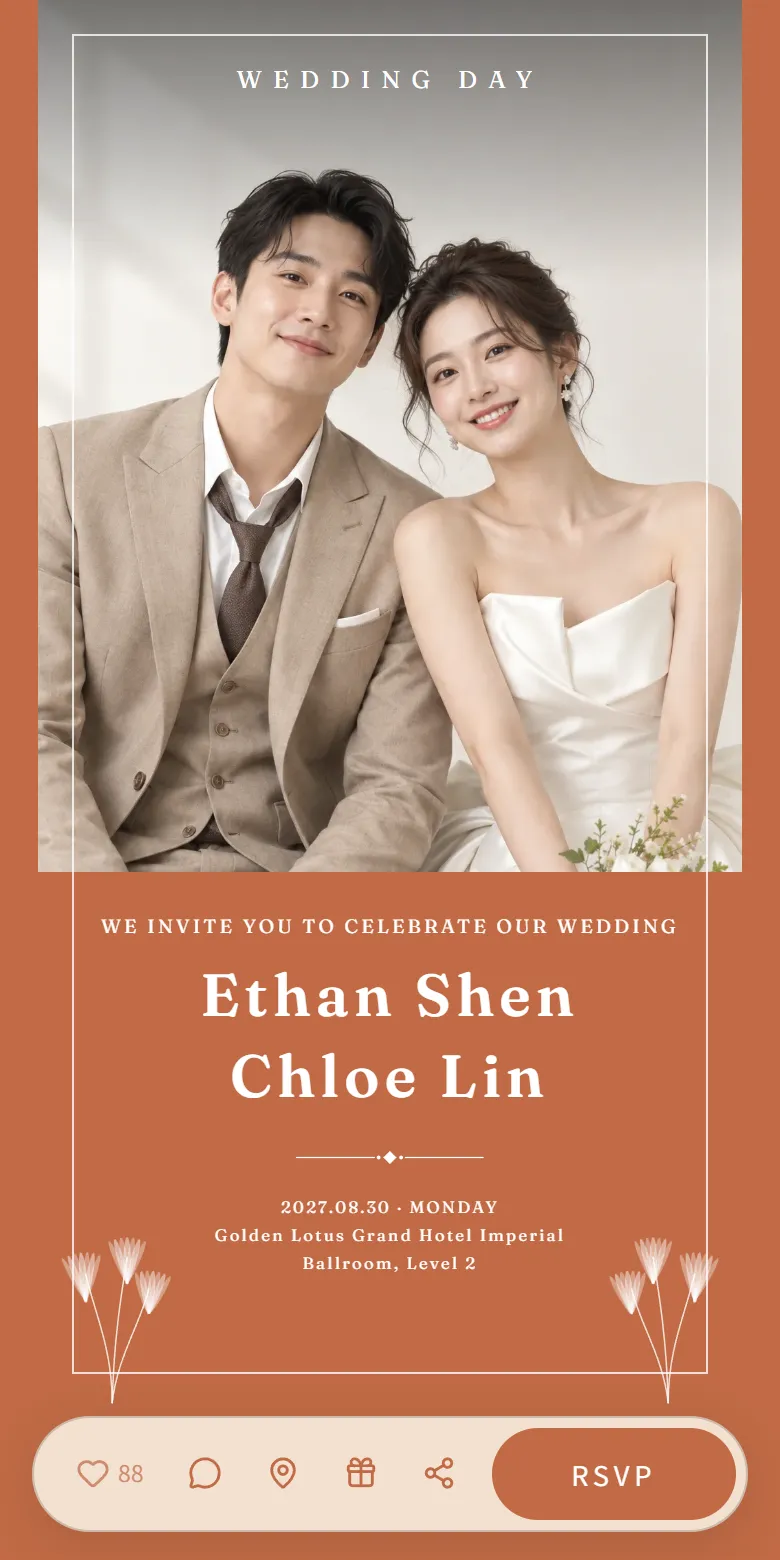
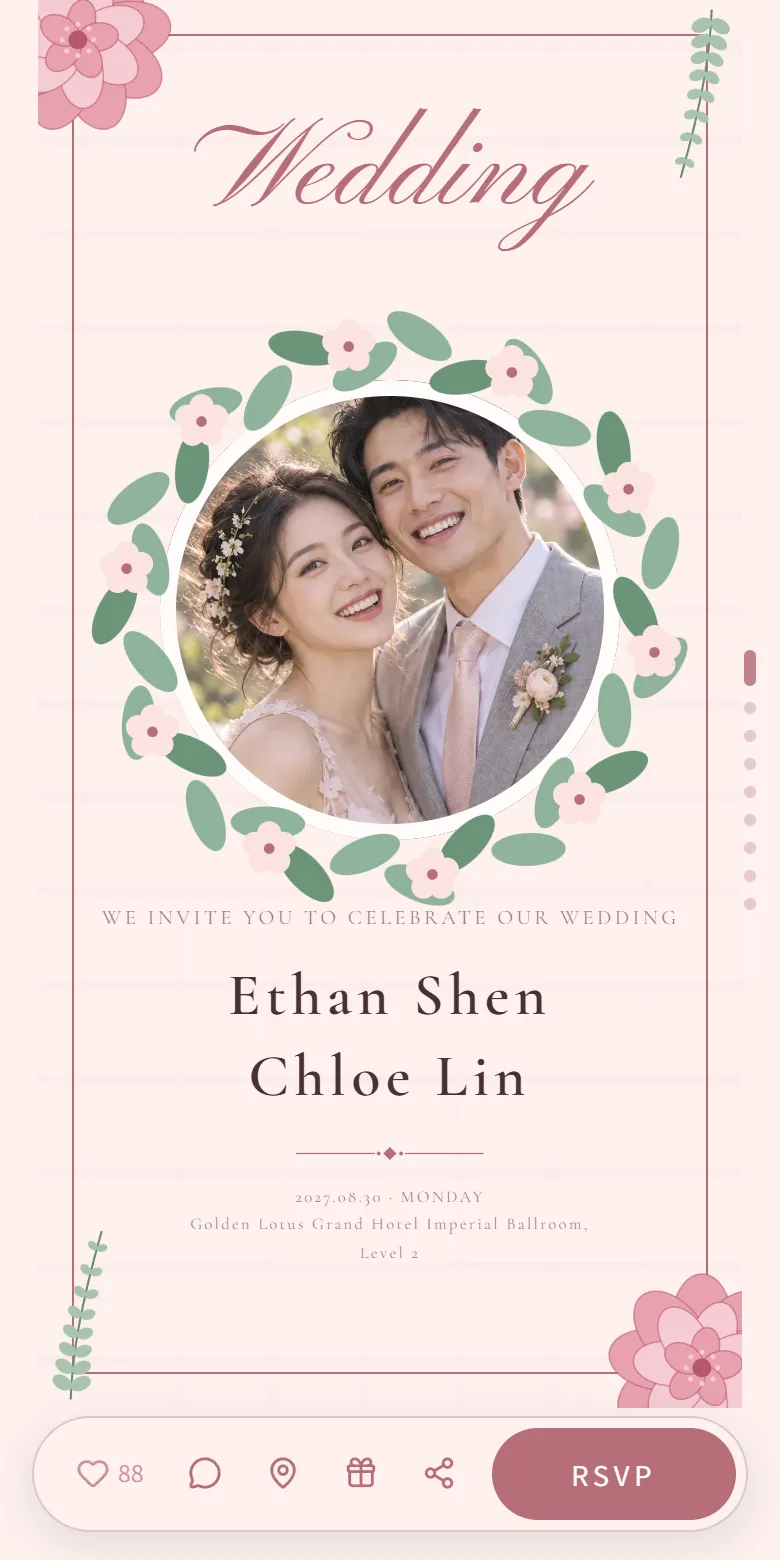
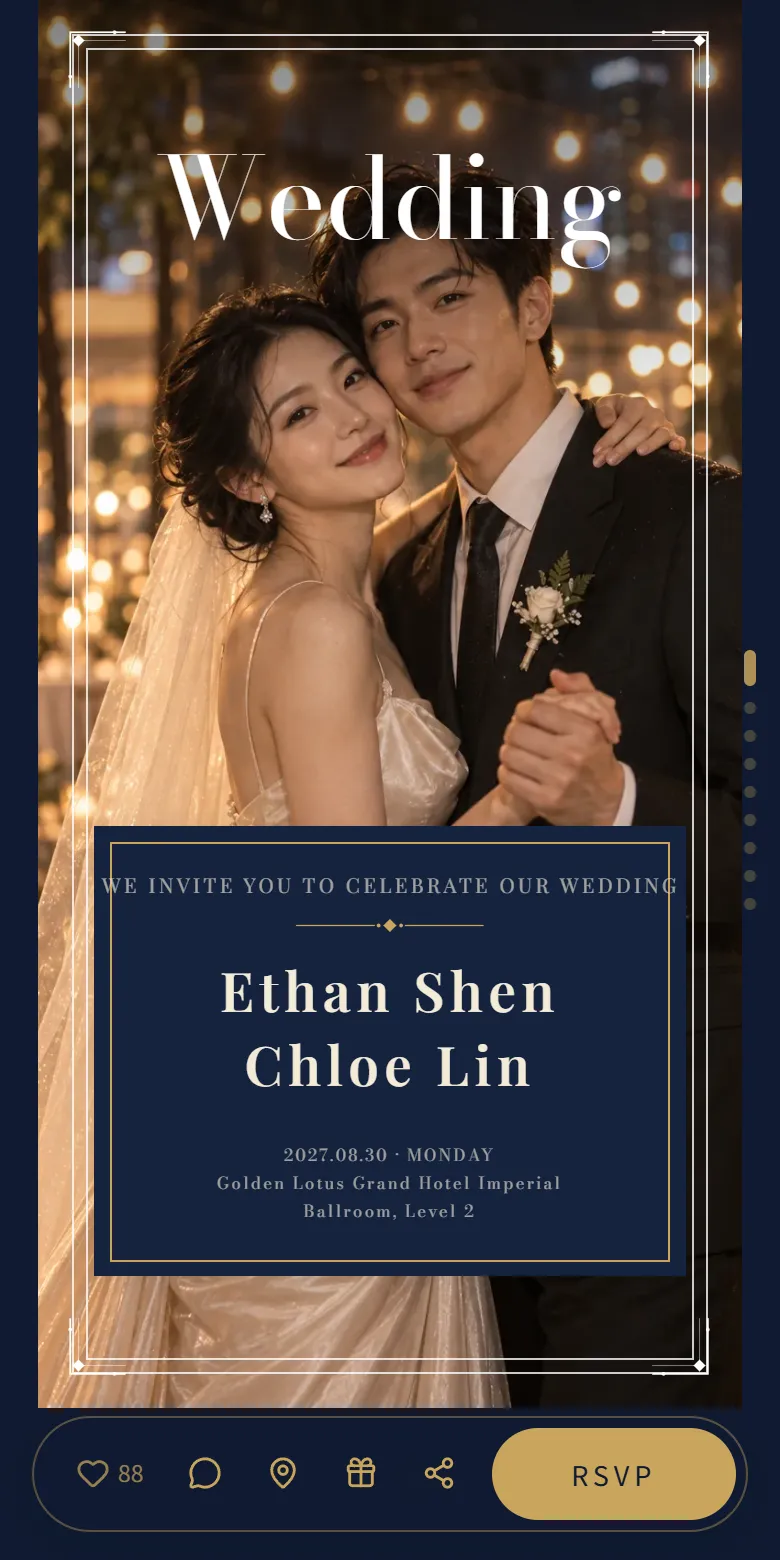
Chinese, Peranakan, Malay,
plus Japanese, Korean, French, Thai
Crimson and gold, ink garden, Nyonya tiles, Malay florals, black-gold deco… long page, flip page, even an MV invitation that plays like a short film. Swap in your photos; the text and date lay themselves out.
Tap any card to see the whole invitation. Shown here: designs that work in English, plus a few Chinese ones — the full library is bigger.
Four steps and the invitation is out
Nothing to learn first: sign up, pick a template, fill in your names and date, tweak it if you like — and you have a link.
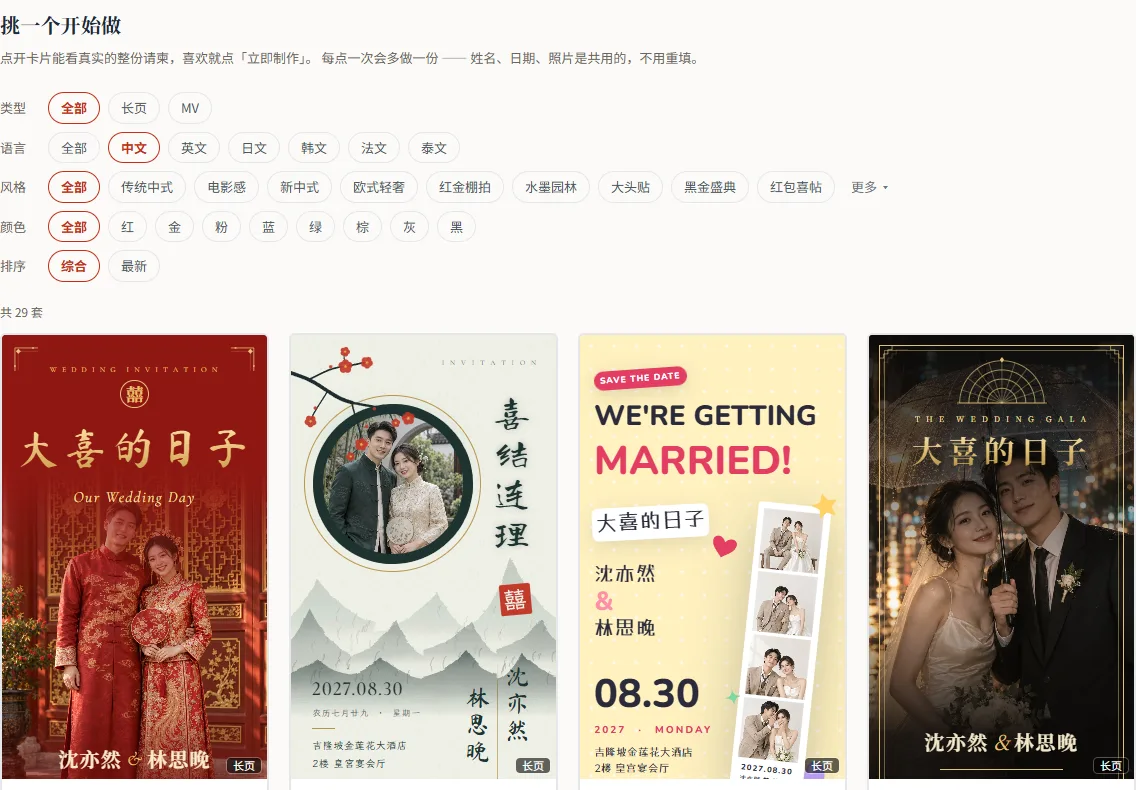
Pick a template
Open any card to see the whole invitation; scan the code and see exactly what your guests will see. Filter by style, colour and language.
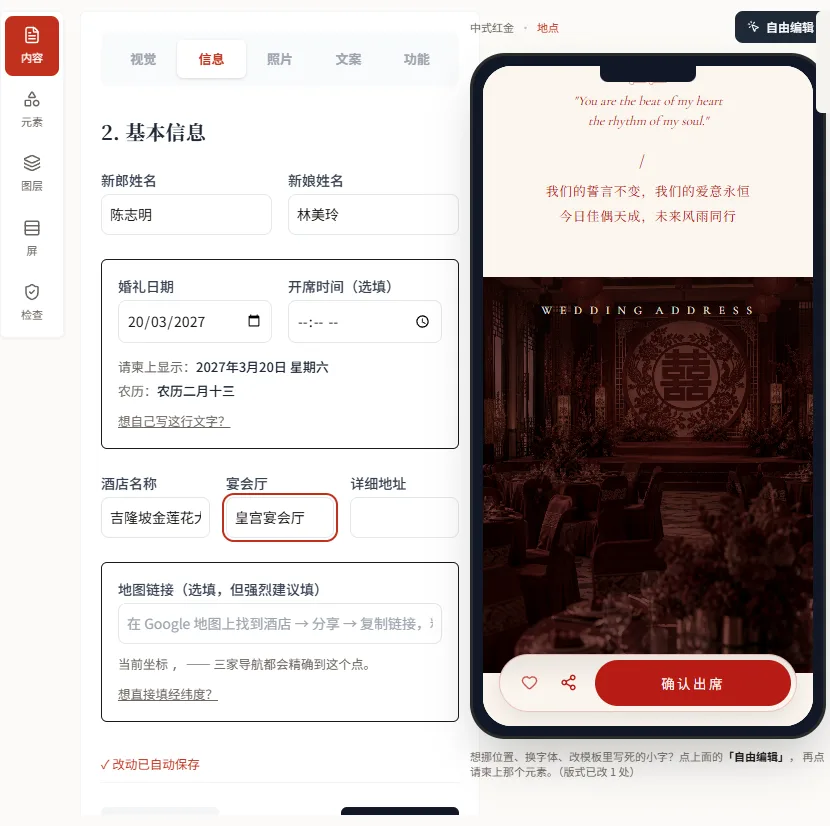
Fill in names and date
The lunar date is worked out for you and the venue gets a one-tap map link. Type it once — everywhere it appears updates.
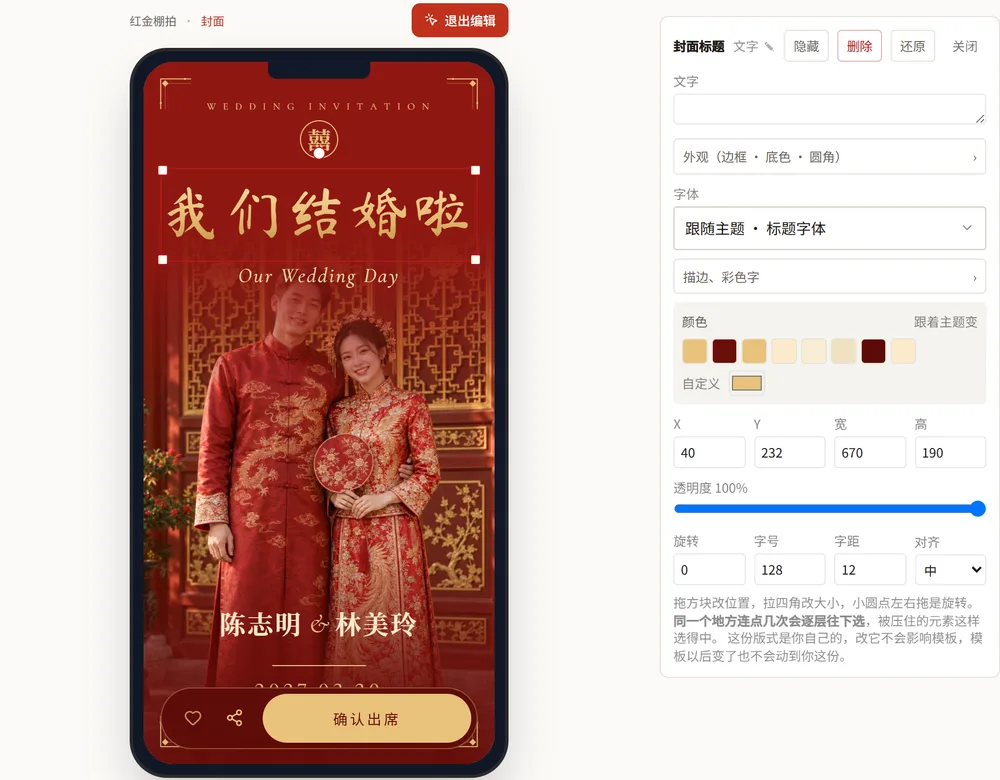
Make it yours
Change fonts and colours, swap in your own photos, rewrite the wording, pick a song. Open free edit and tap anything on the invitation to move it or restyle it — or skip all that and send it as it is.
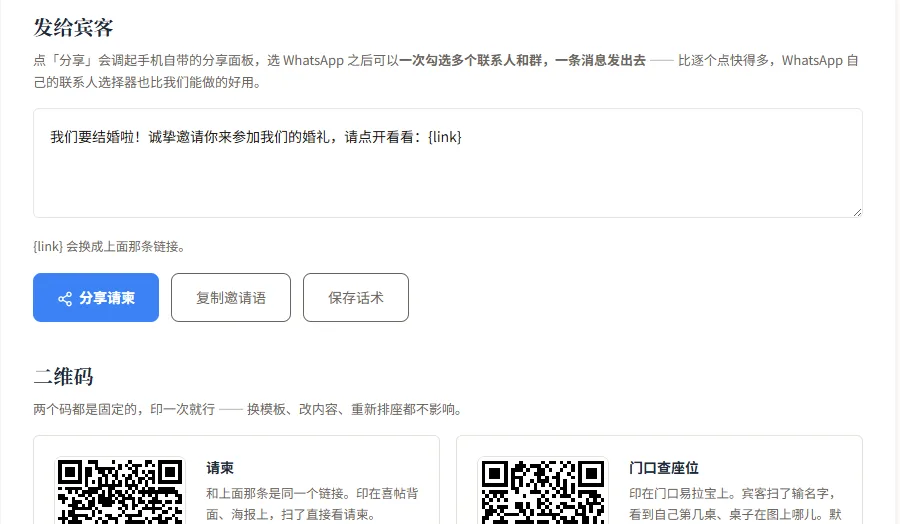
Send it to guests
One link. Share it to several WhatsApp contacts and groups at once; RSVPs flow into your guest list automatically.
After the invitations, the big screen is yours too
Guests scan one code to join — no app. Open the page on a TV or projector, enter the pairing code, and you’re connected.
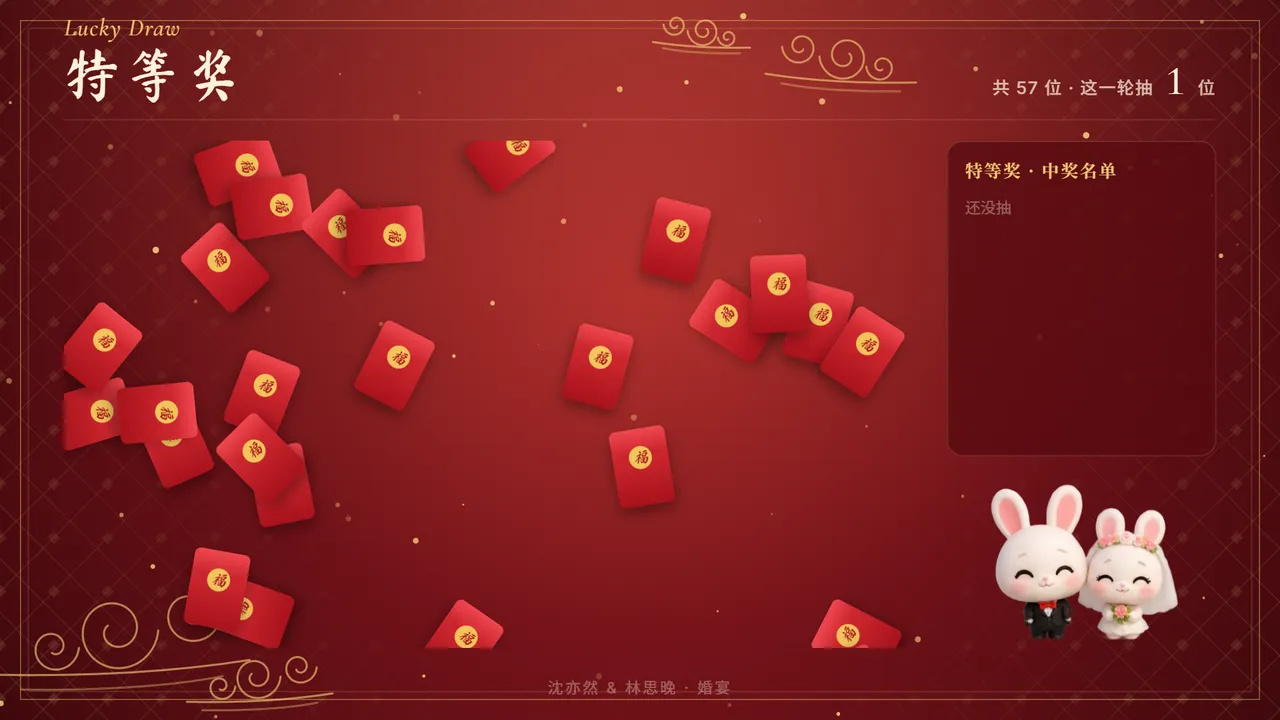
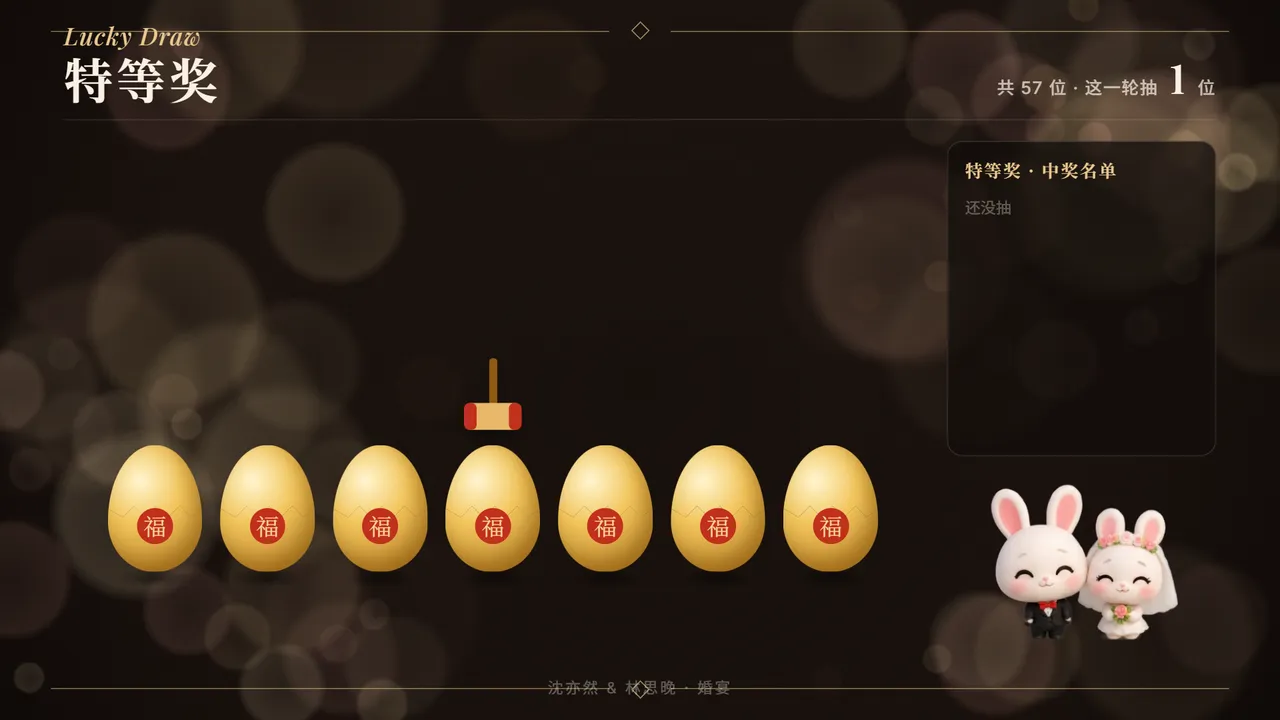
Lucky draw
Red-packet rain, golden eggs, name globe, slot machine… 8 ways to draw. Guests scan to enter; the host starts each draw with one tap.
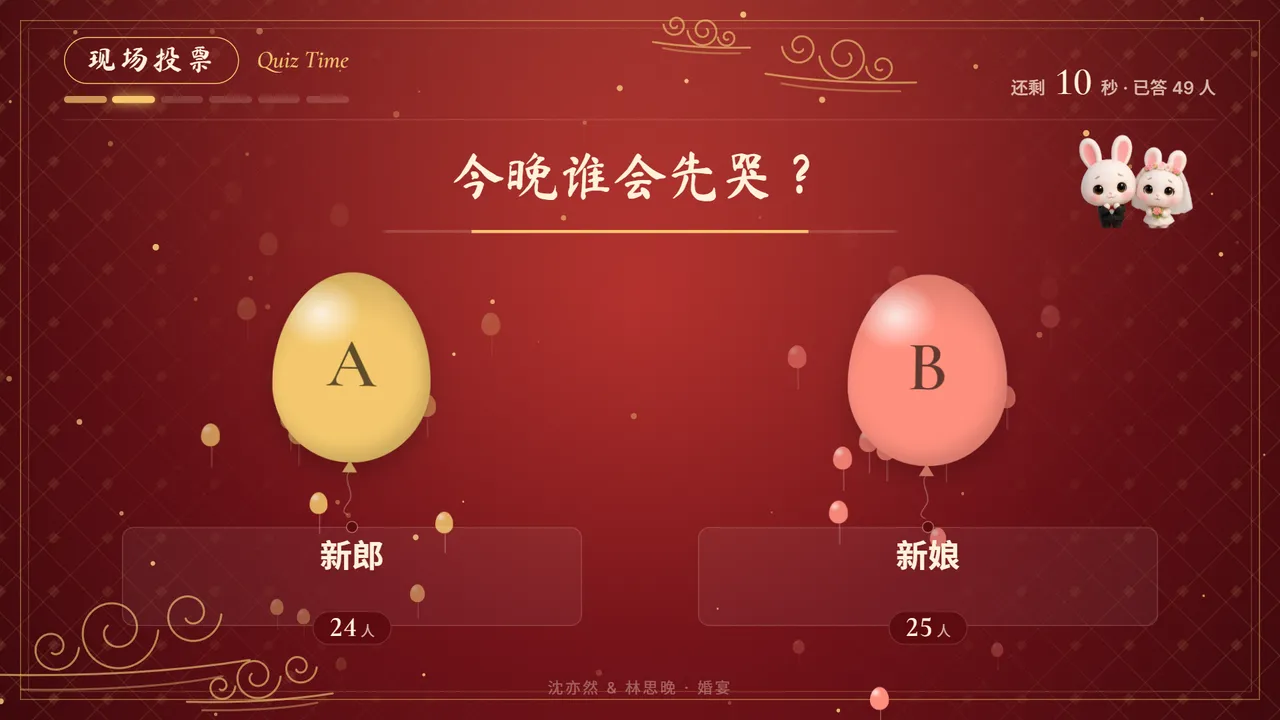
Live quiz
Quiz, polls and buzzer rounds. Answers are revealed on the spot, the leaderboard is always there, and prizes go out at the end.
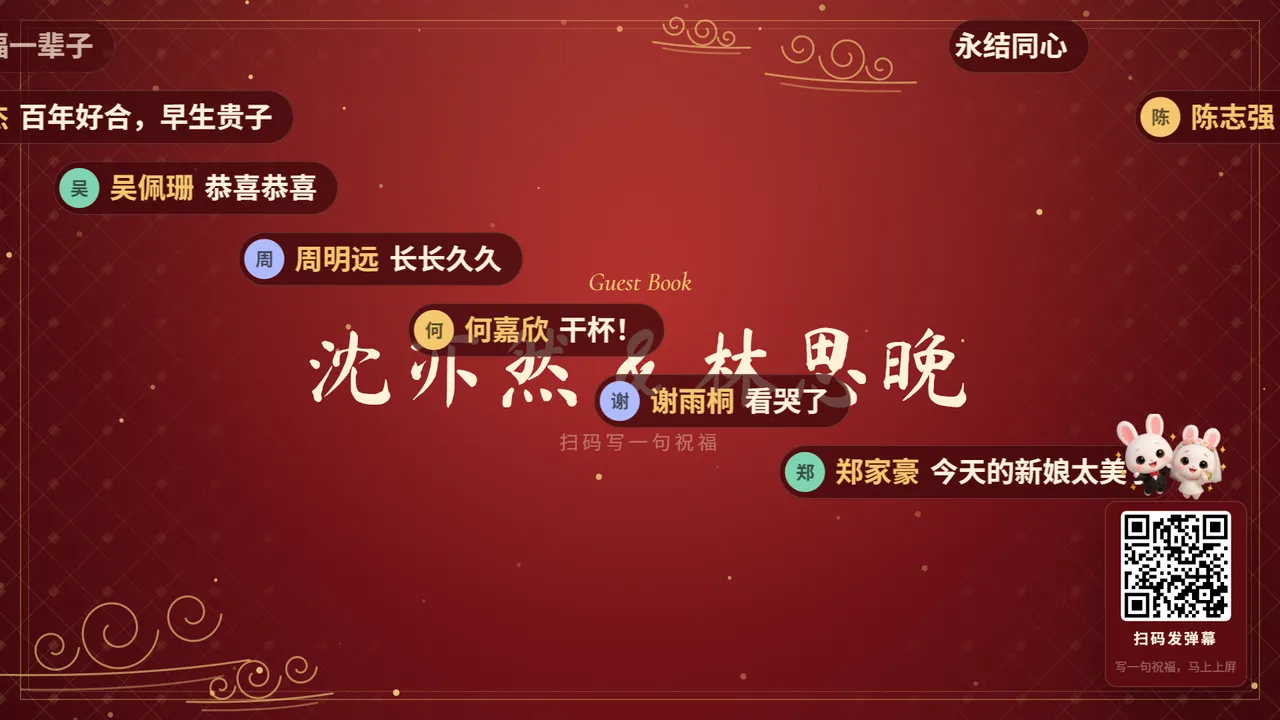
Wishes on screen
Guests scan a code, type a line, and it floats onto the big screen seconds later. You can approve messages before they appear.
Colours that match your invitation
14 screen palettes — or borrow your invitation’s look, so the stage and the card feel like one event.
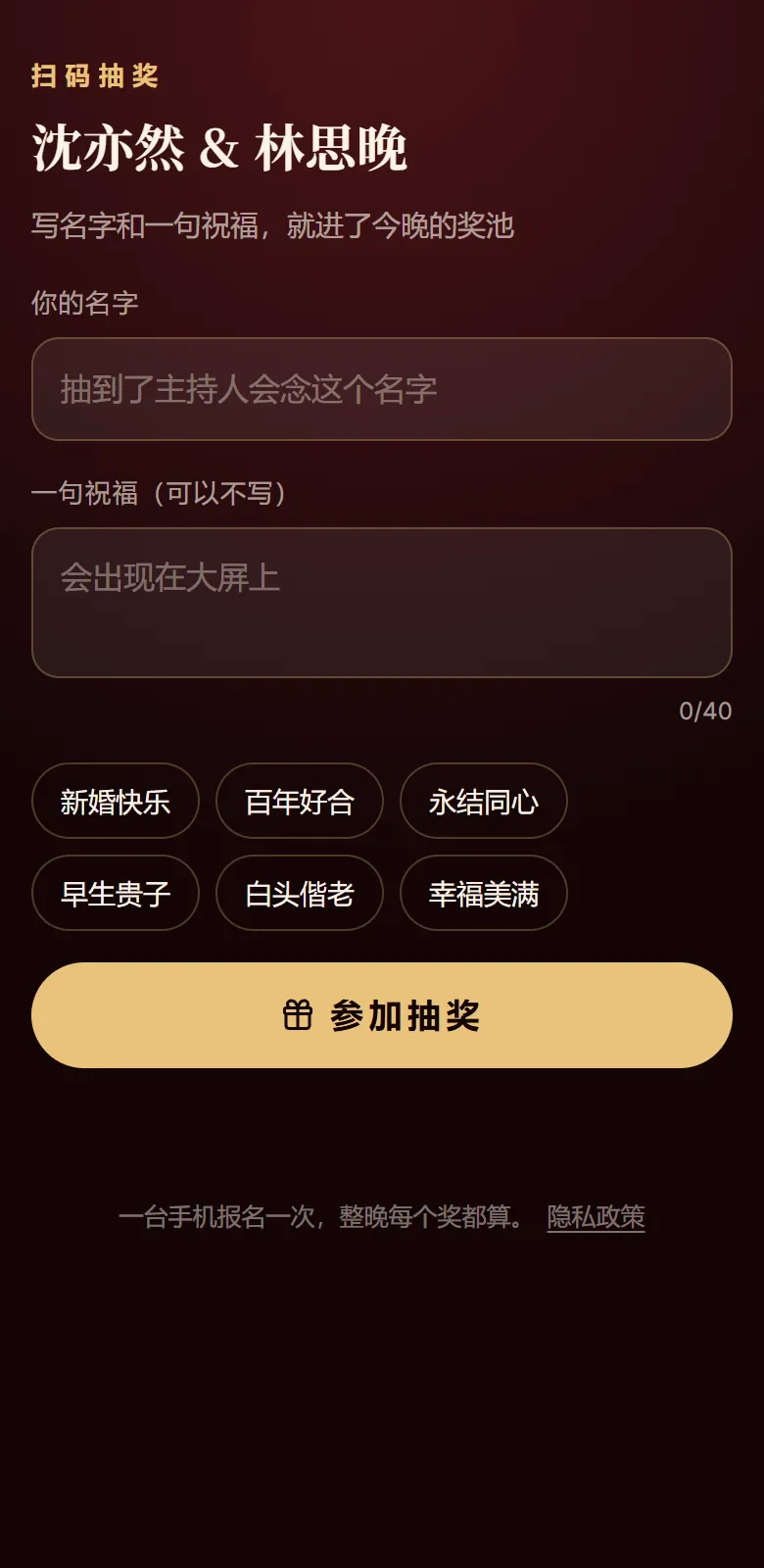
Scan to join
Guests type their name on their phone and they’re in tonight’s draw.
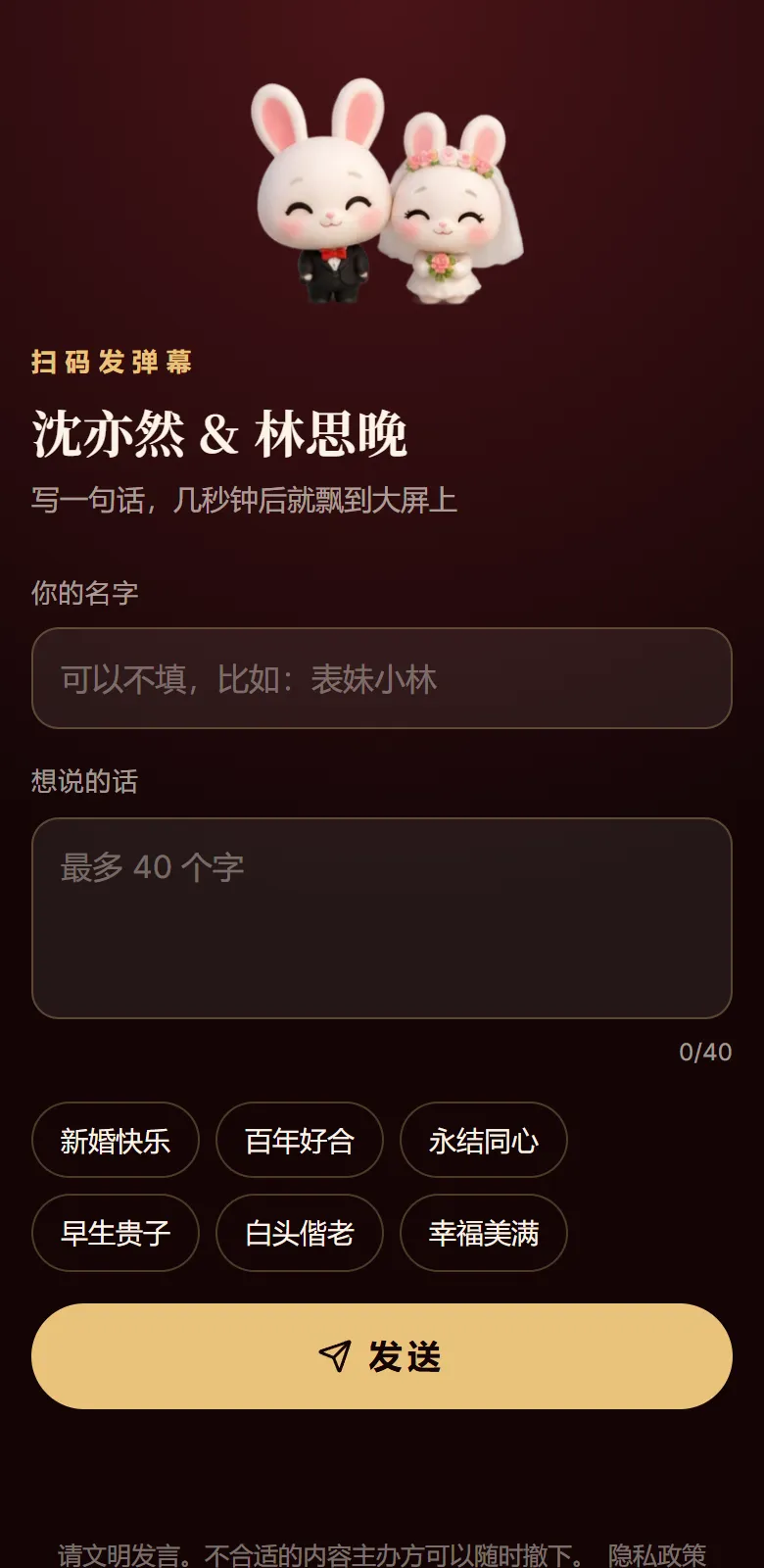
Scan to send wishes
One line, one name, straight onto the screen.
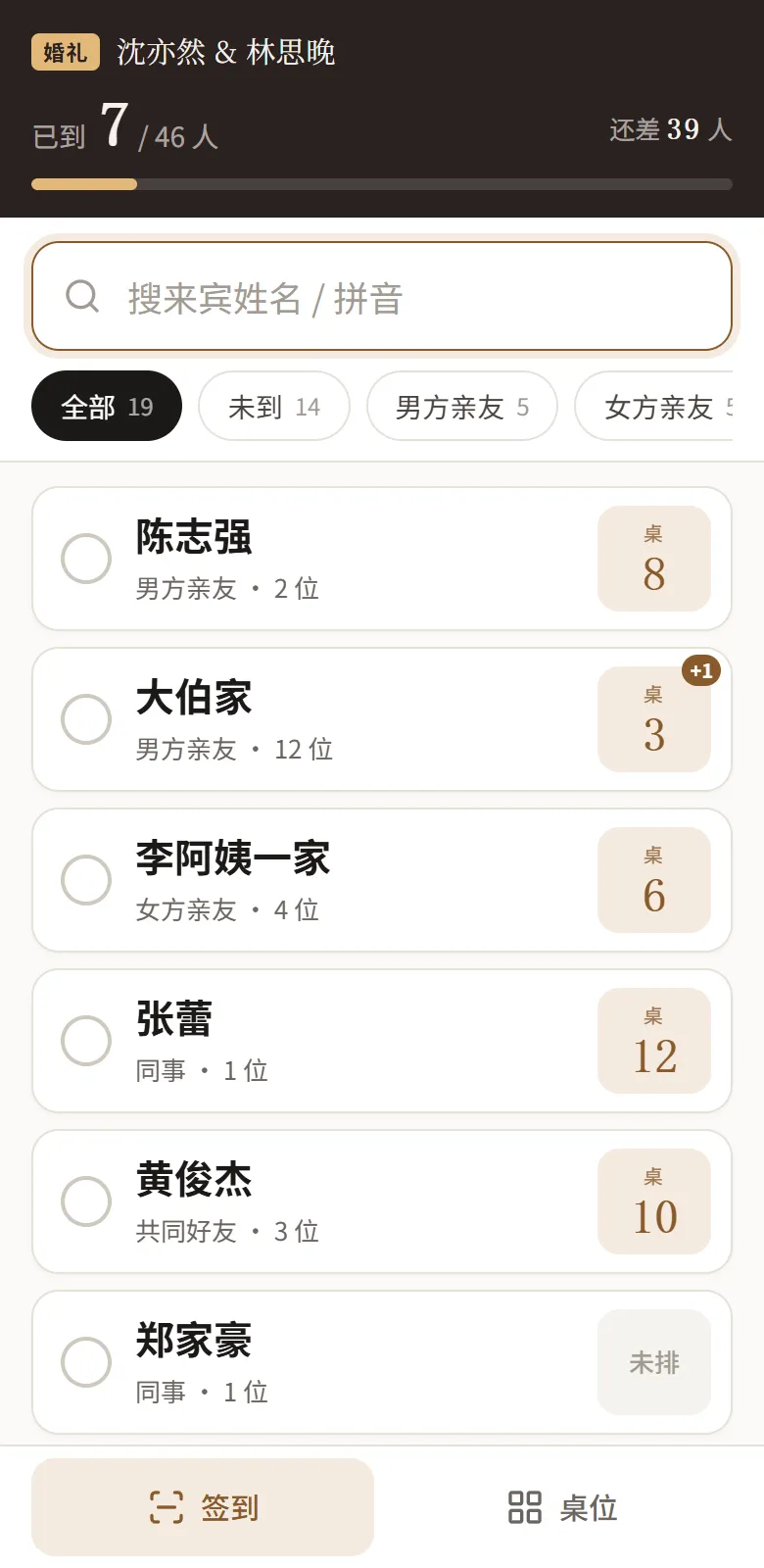
Check-in at the door
Search a name, tap, done. The table number is right there, and several phones can check in at once.
If you’ve organised one, you know it’s more than the invitation
WhatsApp in one tap
Tap Share to open your phone’s share sheet, pick WhatsApp, select several contacts and groups at once, and send one message.
Gift accounts & red-packet ledger
Put your gift account in the invitation’s bottom bar — guests tap to copy it. Log red packets one by one on the day, and export to Excel afterwards.
Seating & table look-up
Families are seated together automatically; drag tables onto the floor plan. Put a QR code at the door and guests type their name to find their table.
Lunar dates, many languages
Pick the date and the lunar date is filled in for you. Invitations come in Chinese, English, Japanese, Korean, French and Thai, and the buttons follow.
More than weddings
Company dinners, birthday banquets, full-month parties, thank-you dinners — same dashboard; the wording and templates adapt.
Your guest list is yours
Export it any time. If you ever want out, delete your account and all your data in Settings.
Questions you might have
Is it free?
Free to use for now.
Do guests need to install an app or sign up?
No. A link opens the invitation, and the RSVP only needs a name. Scanning for the lucky draw or wishes on the night works the same way.
Can I change the date or wording after I’ve sent it?
Yes. The link stays the same, so guests see the updated version when they open it again. Changing the wedding date in Settings updates the invitation too.
Can I use my own photos and music?
Yes. Photos go into the template’s slots; for music, pick from the library or upload your own mp3 / m4a.
Can I use it outside Malaysia and Singapore?
Yes — it’s a web page, so it works anywhere. Invitations come in six languages, with dates written the local way.
Is the dashboard available in English?
Not yet. The dashboard — where you build the invitation and manage guests — is in Chinese for now. The invitation your guests see can be in Chinese, English, Japanese, Korean, French or Thai.
Are my guest list and photos safe?
Only you can see the guest list, after logging in; guests only see the invitation. The table look-up at the door shows a table number only — no phone numbers or dietary notes. In Settings you can delete your account and everything with it.
Make your first invitation now
Sign up, pick a template, fill in your names and date — and your link is ready to send.
Start free →